


Friday morning I was given the assignment by my soon-to-be 9 year old to create birthday party invitations for her to hand out THAT MORNING. No, I hadn’t planned ahead. She’ll have a handful of girlfriends over next Saturday, and I intend to just phone their parents. But, none the less, I was up to the challenge.
Step 1: Visit Dreamstime. This is my go-to source for graphics.
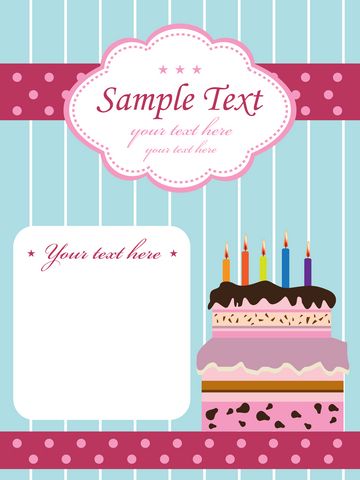 Step 2: Search for party invitations. You’ll find a wide variety, from “free” to “you’ve got to be kidding me”!
Step 3: Buy a few credits and download your favorite image. I found this cute invitation for 3 credits (approx. $3.75).
Step 4: Edit in Photoshop. See notes below. When editing is done, choose Layers, Flatten Image to merge all layers into one.
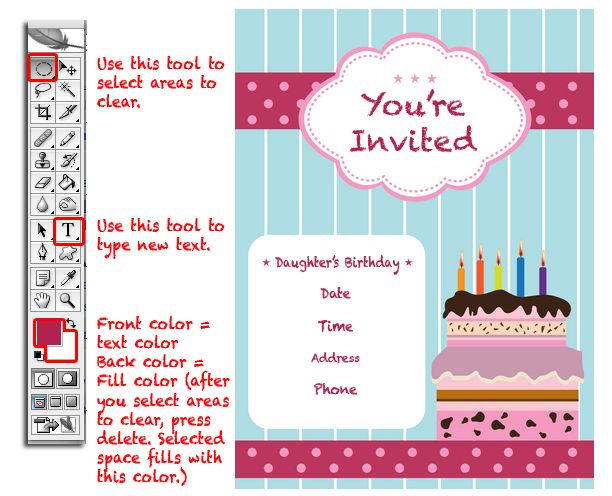
Step 5: Save & Print. I created a new, blank Photoshop page, 11×8.5 landscape orientation, and dragged (with my pointer tool) the invitation to it twice. Two invitations fit on one page. I used brochure paper (heavy stock with a nice finish).
Step 6: Cut. Remove the white border, and cut out the 2 invitations. Repeat as necessary.
For an in-depth tutorial on adding text, view my post Photoshop Tips V: Add Text to Photos.
• Do you have a go-to source for graphics?
• Store-bought or home-made invitations?





Comment By: Angelia Sims
November 7th, 2011 at 6:58 am
That is so cool!! I will definitely have to try this. I don’t know that I am that good at photoshop yet. Sometimes, it’s hit or miss. LOL.
Comment By: Angie
November 7th, 2011 at 8:12 am
Isn’t it amazing how many resources are out there these days to pretty much customize anything you want?!?!
I’m kind of a do-it-yourself-er when it comes to this kind of stuff, so I don’t have any sources for graphics. But I do like to look for ideas and try to re-create elements myself in photoshop.
Definitely home-made invites for me 🙂
Comment By: Unknown Mami
November 15th, 2011 at 2:40 pm
I need to absorb your mad Photoshop skills.
Comment By: Jean
November 17th, 2011 at 7:49 am
LOL! Thanks Mami. I would love to pass along my photoshop skills to you.